

Raise a purchase order
A purchase order in Fexl Lite is a list of products you intend to buy from one supplier, with their per-unit costs and any extra charges (freight, customs, handling) that need to be split across the line items. It starts as a draft, gets received when stock physically arrives, and only at that moment touches inventory and the books. Until then it’s a planning document — edit it, throw it away, raise another version.
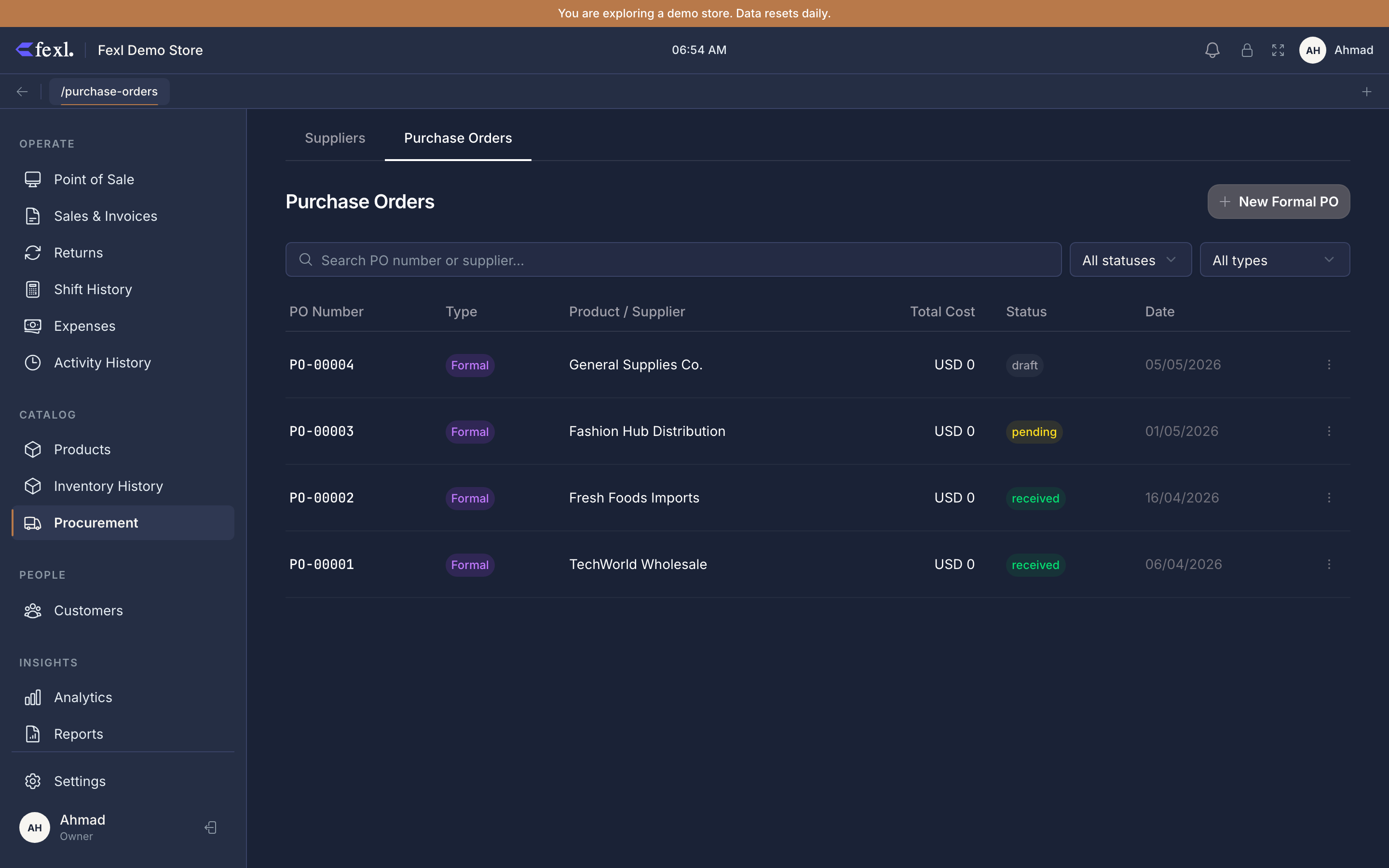
The PO lifecycle
A PO walks through four states. Inventory and journal entries only move on the third one.
draft— created. You’re still editing lines, costs, and extras. Nothing has touched stock or AP.ordered/confirmed— optional waypoints used by some workflows to mark “I sent this to the supplier” or “the supplier confirmed pricing”. Same write semantics as draft — nothing posts yet.received— stock physically arrived. Confirming receive opens FIFO layers, posts the AP credit (or cash), and locks the line items.voided— only reachable fromreceived, and only while every unit is still on hand. Reverses the inventory and JE; zeros the layer’sqty_remainingso future sales don’t draw the voided cost.
Raising a PO
Open Procurement → Purchase Orders → New
Or jump from the supplier detail page via Restock from this supplier to land on the same form pre-filled with that supplier picked. Either way you arrive at the multi-line editor.
Pick the supplier
Required. Type to search; missing supplier? Open the supplier list, add them, come back. The PO can’t be saved without one.
Add line items
Type into the product search. Tap a product row to add it as a line — for variable products, the variant picker opens first so you can pick the exact size/colour/style. The line lands with quantity = 1 and a sensible cost default (covered next), with weight = 100 / lines.length distributed evenly so extras allocate evenly until you adjust.
Adjust quantities and costs
Tap any quantity or cost cell and edit. The subtotal at the bottom of the table updates live. If you have extras configured, the Allocated and Landed columns recalculate too.
Add extra costs (optional)
Below the line table, click Add Extra Cost. Each entry is a name (e.g. “Freight”, “Customs”, “Handling”) plus an amount. Extras are split across all line items by the weight column (default: even split). Edit a line’s weight to direct more of an extra to one line — useful when one product is heavier or pricier and deserves a bigger share of freight.
Save as draft
Press Save. The PO is persisted with status='draft'. From here you can keep editing, attach the supplier’s invoice (PDF/image), or close the page and come back later.
Receiving a PO
When the goods arrive, you flip the PO to received — that’s the moment inventory and AP move.
Open the PO and click Receive
The button is permission-gated. Required state: draft, confirmed, or ordered. From received or voided, the button is hidden.
Pick a payment status
Three options:
- Unpaid — credit AP (2010) for the full landed cost. Settle later via the supplier payment dialog.
- Partial — enter the cash amount handed over now. AP credits for the difference.
- Paid in full — debit AP and credit the active shift’s cash sub-account (1010-xxx) immediately.
Confirm
Confirming runs everything in one database transaction:
- For each line, an
inventory_transactionsingress row is inserted at the landed unit cost (base cost + that line’s allocated share of extras).qty_remainingis set equal to the line quantity — that row IS the new FIFO layer. - The product’s WAC is updated via
updateProductCost. - A journal entry posts. With a supplier: DR 1200 Inventory / CR 2010 AP for the unpaid portion, plus an immediate 2010 / 1010-xxx debit-credit for any cash paid. Without a supplier: DR 1200 / CR 3010 Owner’s Equity.
- The PO row is updated to
status='received',received_at=now,received_by_user_id.
If any step fails, the whole thing rolls back — you don’t end up with stock-on-hand without a journal entry, or vice versa.
Editing or voiding after receive
A received PO is largely locked: line items can’t be edited, extras can’t be added, costs can’t be retroactively re-allocated. You have two escape hatches:
- Quick PO Edit (for restock-style POs, type
quick) — adjust quantity, cost, batch number, or expiry on a single-line PO. The handler reverses the previous ingress and writes a fresh one at the new values, preserving FIFO correctness. Reachable from the inventory history page on a per-product timeline. - Void — for any received PO. Reverses every ingress posted by this PO, drains the layer’s
qty_remainingto zero, and posts a reversing journal entry. Required precondition: every unit the PO brought in must still be on hand. If any have been sold, the void is rejected with a “some have been sold” error — issue a credit note or a manual reversing entry from accounting instead.
What you’ll see on reports
Once a PO is received:
- Inventory Valuation picks up the new layer at landed cost.
- AR/AP Aging ages the supplier balance from the receive date.
- General Ledger shows the JE block (1200 / 2010 or 1200 / 3010) tagged
source_type='inventory_adjustment'with the PO number on every line. - Inventory Moves lists each line as a separate ingress with the receive date, supplier name, and per-unit landed cost.
Common gotchas
”PO has no items to receive”
You hit Receive on a draft with an empty line list. Add at least one line and save before receiving.
”Supplier balance went up by more than I expected”
You added an extra cost after adding lines but didn’t redistribute weights. Check the Allocated column on each line — extras follow the weight column, not the line subtotal. Adjust weights and save before receive.
”The cost on my PO line shows zero”
The product has no ingress history (it’s brand new), and you didn’t type a cost. The line saves but the FIFO layer it’ll open will be a zero-cost layer — and the sale-time COGS for any unit that draws from it will be zero, distorting your gross profit. Type a cost before saving. If you really want a zero-cost layer (free sample, gift), do it deliberately and add a note.
”I received the PO but the supplier balance shows green credit”
The cash you marked paid was bigger than the landed cost. Either correct via a manual owed entry on the supplier (to net it out), or leave the credit and let the next PO consume it.
Related
- Receive a PO — the same flow from the receive-side, with a worked example
- Landed cost & extras — how extras split across lines by weight
- Ad-hoc restock — the no-paperwork alternative for one-off arrivals
- FIFO costing — how the layer this PO opens drains on later sales
- Suppliers list — where balances surface after a receive
- Release notes — v1.6.100 — bugs #38 and #60 in detail