

Customer debt and store credit
A customer account in Fexl Lite has two sides. They can owe you (debt, posted to Accounts Receivable), you can owe them (store credit, posted to a liability account), or — surprisingly often — both at once. The UI always shows you the net; the journal keeps the two sides separate so the books balance even when a single customer is mid-cycle on both.
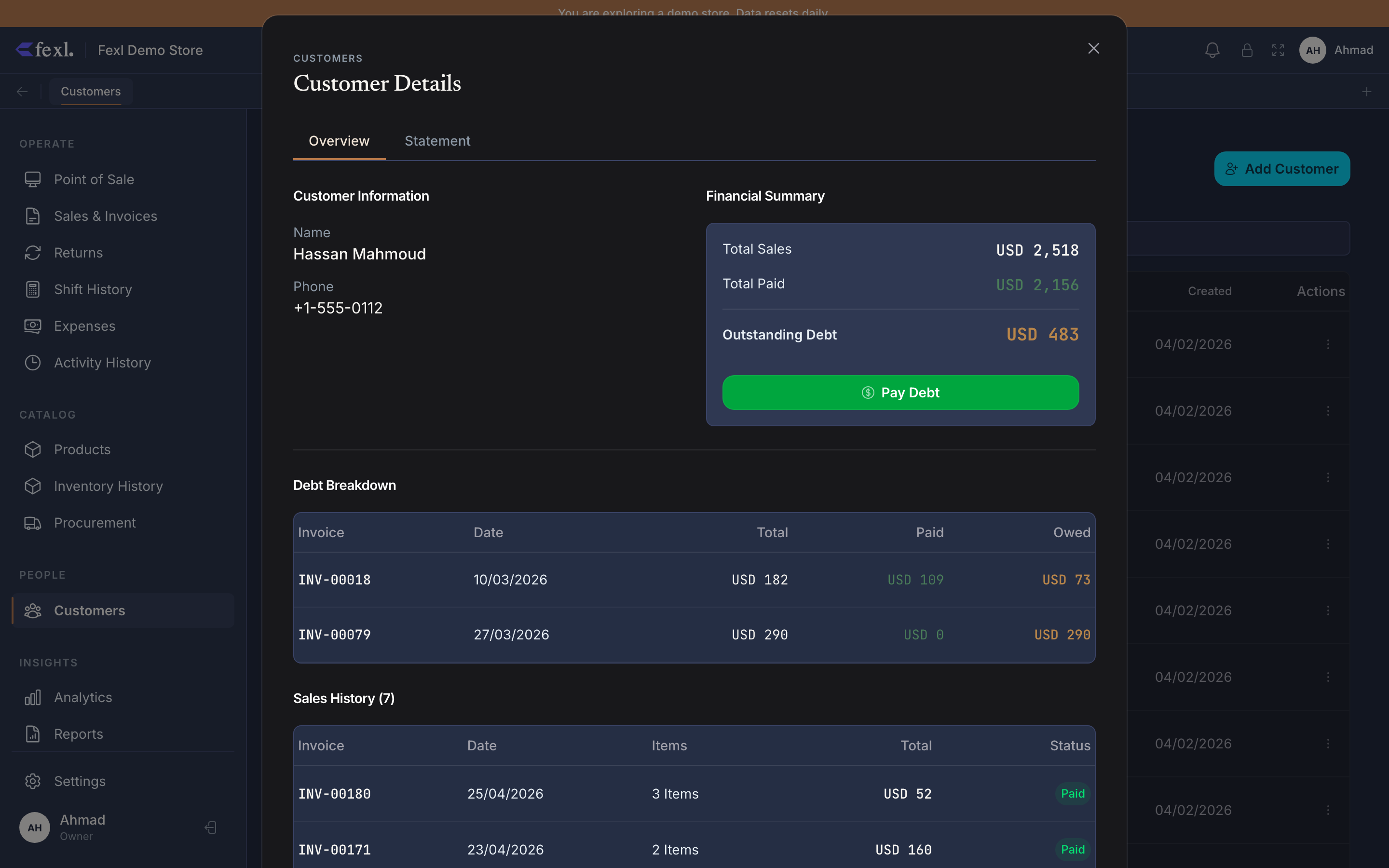
The two columns: debt and credit
Two persistent fields drive every customer balance you see in the app. They are independent — neither one ever resolves the other automatically.
How debt accumulates
Three flows increase balance and post a debit to AR (1100).
- Partial payments at POS — checkout type
partialwithpaid < total. The unpaid amount lands onamountOwedfor the new invoice. - Pay-later sales — checkout type
partialwithpaid = 0. The customer walks out; the full total sits on the tab. See Pay Later & COD. - Opening balance — a number you set when creating a migrated customer to represent debt they already owed before they were entered into Fexl. It behaves identically to invoice debt for settlement and statements.
Debt is tied to specific invoices via amountOwed — that’s how the AR Aging report ages it correctly. Opening balance ages from the customer’s createdAt.
How credit accumulates
Three flows increase creditBalance and post a credit to Customer Credits (2100), a liability account.
- Credit refunds from the return wizard — picking Store credit as the refund destination on Step 5 of the refund wizard writes a
type='credit'transaction tied to the return. - Overpayments — when a customer hands over more than their debt, the excess can be parked as credit instead of given back as cash.
- Manual credit additions — admin-driven adjustments (rare; usually goodwill).
Credit is not tied to a specific invoice. Once it’s on the account, it’s a single pool of value the customer can spend, withdraw, or apply against future debt.
Settling
Three operations move money out of the customer’s two columns. They live on the customer detail page.
- Pay debt — customer hands over cash/card against their tab. Allocates payment to invoices oldest-first (FIFO) on
amountOwed, then toopeningBalanceif anything remains. Posts DR cash sub-account / CR 1100. See Pay debt. - Withdraw credit — customer takes credit out as cash. Decreases
creditBalanceby writing atype='withdrawal'transaction; posts DR 2100 / CR cash sub-account. Caps atcreditBalance— can’t go negative. See Withdraw credit. - Apply credit on a new sale — at POS, when a customer with
usableCredit > 0is attached to the cart, Store credit appears as a payment method in checkout. The applied amount writes atype='usage'transaction.
Mixed debt and credit at once
A customer can carry debt and credit simultaneously, and that is not a bug. It happens when a customer with an open tab returns an item for store credit, or when a credit-refund customer rings a new pay-later sale before spending their credit.
Journal-entry summary
Every change to either column posts a paired entry. Account codes here match the seeded chart of accounts (see Chart of accounts).
- New debt (sale, partial paid) — DR 1100 AR, CR 4010 Revenue (with VAT and shipping splits as applicable).
- Debt payment — DR cash sub-account (1010-xxx), CR 1100 AR.
- Refund applied to debt (refund wizard, debt deduction) — DR 4020 Sales Returns, CR 1100 AR.
- New credit (refund as store credit) — DR 4020 Sales Returns, CR 2100 Customer Credits.
- Credit withdrawal — DR 2100 Customer Credits, CR cash sub-account (1010-xxx).
- Credit applied to new sale — DR 2100 Customer Credits (in lieu of cash), CR 4010 Revenue.
Related
- Pay debt — record a tab settlement
- Withdraw credit — pay a credit balance out as cash
- Customer statements — running-balance ledger for a single customer
- Pay Later & COD — the partial-payment flow that creates debt
- Credit refunds in the wizard — the flow that creates store credit
- Chart of accounts — full ledger codes and meanings