

Cash Flow
The Cash Flow report is the liquidity counterpart to the P&L. Where the P&L tells you whether the business made money on accrual terms, the Cash Flow tells you whether physical cash actually moved in or out of the till and bank accounts over the same period. Both can disagree without either one being wrong.
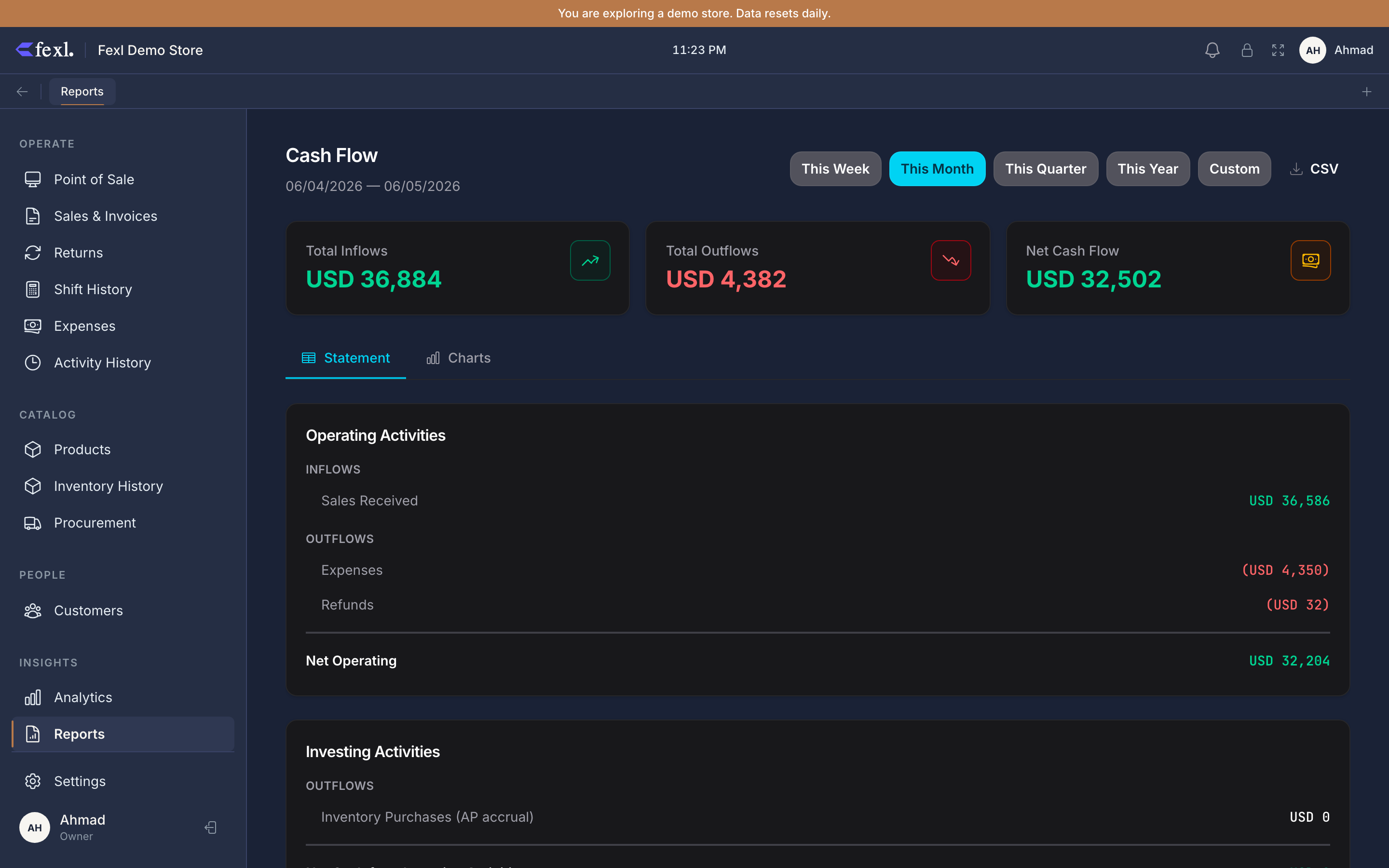
Direct method, three sections
Fexl Lite uses the direct method — actual cash receipts minus actual cash payments per category, not net-income-adjusted indirect. The report is structured the way a corporate accounts manual structures it:
Operating activities
Cash from running the shop, day to day. Inflows and outflows from the operations that produce revenue:
- Cash from sales — sum of every cash leg on customer invoices in the period (DR
1010-*). Pay-later balances don’t count here — until the customer pays, no cash has moved. - Cash from debt payments — when a customer settles an old AR balance (CR
1100, DR1010-*). This is real cash in the door, just on a different day from the sale. - Cash to suppliers — supplier payment legs (CR
1010-*, DR2010). - Cash to expenses — every expense paid in cash (CR
1010-*, DR6xxx). Includes the recognised portion of prepaid expenses for the period. - Cash for refunds — cash given back through the return wizard (CR
1010-*, DR4020).
The subtotal at the bottom of this block is Net Cash from Operations, which is the headline operational liquidity number.
Investing activities
Asset purchases that aren’t inventory — equipment, fixtures, deposits. The current build of Fexl Lite doesn’t have a dedicated fixed-assets module, so this section typically shows zero unless someone has posted manual JEs against asset accounts (other than 1010, 1020, 1030, 1100, 1200, 1300).
Financing activities
Owner contributions, loans, drawdowns. Credits to 3010 Owner’s Equity with a matching debit to a cash sub-account land here — the owner topping up the change fund or putting in capital. Withdrawals (debits to 3010, credits to cash) appear as outflows.
Net change in cash
Sum of the three sections. Should equal Closing Cash − Opening Cash for the same period — read from the Balance Sheet’s Cash & Equivalents line at the period bookends.
The reconciliation footer
P&L and Cash Flow can — and should — disagree
A common surprise from store owners new to accrual accounting:
- The P&L says +$8,400 net profit this month.
- The Cash Flow says −$1,200 net change in cash for the same month.
Both can be true at the same time. P&L counted revenue when invoices were rung, even on pay-later — those receivables are sitting on the Balance Sheet, not in the till. P&L counted COGS on the FIFO cost of what was sold, but the cash for that inventory was paid to suppliers in a previous month. The Cash Flow report only counts what physically moved in and out during the window. Use one for whether the business is profitable; use the other for whether you can pay this week’s bills.
Date range and exclusions
The standard preset buttons (Today / Week / Month / Quarter / Year / Custom) drive the range. Comp invoices are excluded — they post no JE, so they have no cash leg to count. Cancelled invoices that were paid in cash are netted out: the original sale’s cash leg appears as an inflow in the period it was rung; the cancellation’s reversing leg appears as an outflow in the period the cancel happened. Net zero across the two periods, which is correct.
Export
The CSV button writes the same hierarchy as the page — section headers as label-only rows, line items underneath, sub-totals between sections, opening / closing footer.