

Accounting settings
The Accounting tab is the small set of switches that decide whether Fexl Lite produces a real ledger or just sales records. By default a fresh tenant runs in sales-only mode — invoices, payments, and inventory movement, no journal entries. Flip the master switch and every transaction starts posting double-entry; the retroactive migration backfills the historical record so the books open against day one.
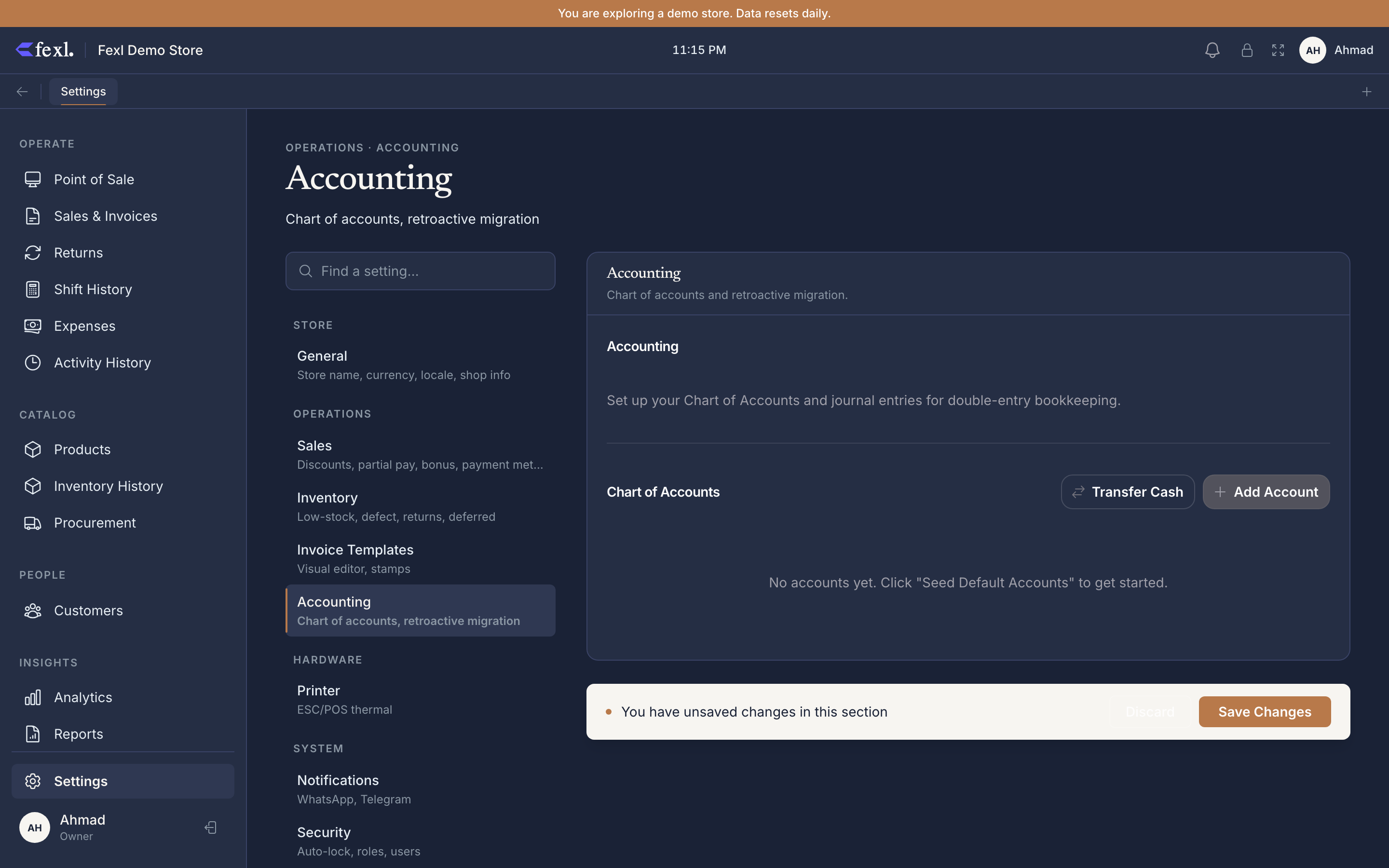
The master switch
Enable accounting is a one-way flag for most installs. Off, it skips the JE chokepoint on every handler — sales, restocks, expenses, returns, shifts. On, every money-touching action posts to the ledger and balanced-JE invariants kick in.
Retroactive migration
For tenants that ran sales-only for any length of time, switching accounting on creates a gap: months of invoices, restocks, and expenses with no JE behind them. The retroactive migration replays the historical record and posts the missing entries.
Open Settings → Accounting
The migration row sits below the master switch. It shows the date range of the gap (oldest unjournaled record → newest) and the count of records that will be backfilled.
Run the dry-run first
Dry-run previews the JE volume per category — how many invoice JEs, how many restock JEs, how many expense JEs — without writing anything. The first read should match the record counts. If they don’t, an audit is needed before running for real.
Run the migration
Click Run migration. A progress bar reports per-table progress. The job is idempotent — every backfill posts via source_type + source_id, so re-running checks for an existing JE before writing. Safe to interrupt and resume.
Verify the trial balance
Open Trial Balance for the period that was backfilled. DR must equal CR. If they don’t match, the migration log records which record failed — the most common cause is a deleted product whose cost_price is gone, leaving a sale with no 5010 leg. Edit the affected invoice to add a manual cost or restore the product.
Costing method per tracking type
Each product carries a tracking mode (Quantity / Batch / Serialized) — that selection determines its costing method. There is no global “use FIFO everywhere” override:
- Quantity-tracked → Weighted Average Cost (WAC). Each restock blends new cost into the running average.
- Batch-tracked → FIFO via the BatchPicker (oldest non-empty batch auto-selected on sale).
- Serialized → Specific identification. Per-unit cost stored on the serial row.
This tab doesn’t change costing — it lives on the product itself. Product editor → Inventory tracking. The selector labels surface the costing method.
Prepaid amortization cadence
For prepaid expenses (rent, insurance, annual subscriptions), the recognition runner posts a monthly slice from 1300 Prepaid to the matching expense account. The cadence is configurable here:
- Monthly (default) — runs on the 1st of every month at 02:00 local time. The right answer for nearly every retailer.
- Daily — slices the prepaid period across calendar days. Useful for retailers who close the books mid-month.
- Manual — the runner doesn’t fire on its own; the operator runs it from the Accounting tab when ready. Reserved for accountants who want explicit control.
Related
Accounting overview
The double-entry model in plain English, plus a tour of the chart of accounts.
Retroactive migration deep dive
What gets backfilled, the order of operations, and how to read the migration log.
Trial balance
The first report to check after every migration run. DR must equal CR.