

Cancel an invoice
Cancelling an invoice unwinds the whole sale in one shot — every line restocks, every journal entry reverses, and the cash leg refunds. Use it when the entire invoice is wrong (wrong customer, duplicate sale, fat-fingered checkout). If only part of the sale is wrong, use the refund wizard instead.
When to cancel vs refund
Pick the right flow up front — converting between them after the fact takes manual journal cleanup.
Cancel the whole invoice when…
- You picked the wrong customer or delegate at checkout.
- The sale was a duplicate (network glitch, double-tap on Pay).
- Every item is coming back, no exceptions.
Refund (use the wizard) when…
- Only some lines come back; the rest of the sale stands.
- You need supplier routing or store-credit refund.
- You want different dispositions per unit (resaleable vs defect vs dispose).
The cancellation flow
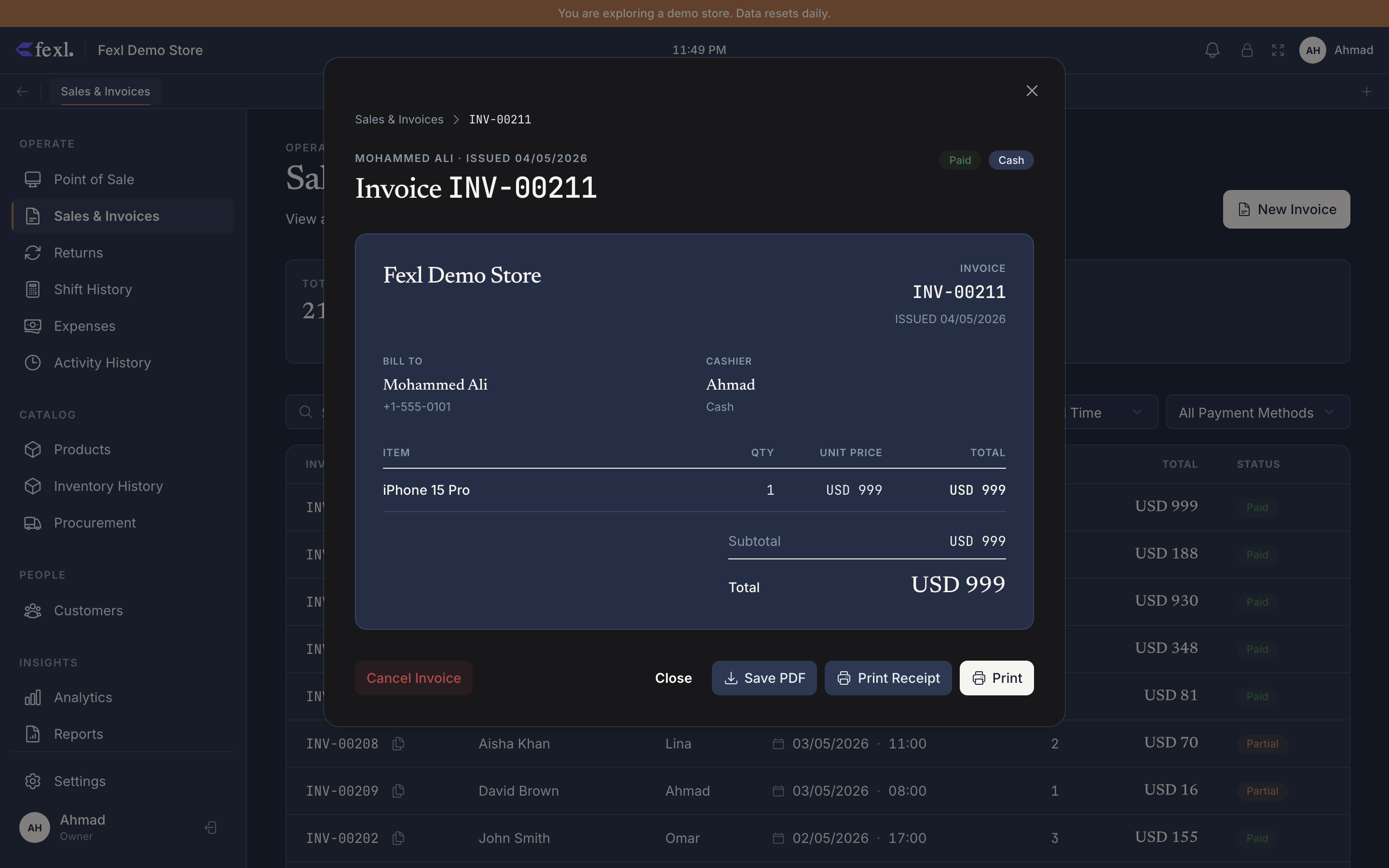
Open the invoice detail
Go to Invoices, find the row, and click it. The detail dialog shows the line items, totals, payment method, and the action bar. If the cancel action is missing, your role lacks the invoices:void permission.
Pick dispositions and refund destination
The cancel dialog lists every line. For each one, choose where the stock goes:
- Back to stock (default) — re-enters sellable inventory at its original cost.
- Defect — moves to Defect Inventory for supplier routing or write-off.
Serialised lines let you set disposition per unit. Optionally pick a different refund destination — for example, cancel a card sale but refund cash from the drawer.
Add a reason and confirm
The reason is logged on the invoice and appears on reports that surface cancelled invoices. Be specific. Confirm — the reversal posts as a single transaction, so if any step fails, nothing changes.
Verify
The detail dialog reloads with a red Cancelled badge. The cash drawer (if a shift was open) records a refund. Inventory Moves shows the ingress. The journal shows a reversal dated to the original sale.
What posts to the books
Troubleshooting
Cancel button is greyed out or missing
Cause — Your role lacks the invoices:void permission, or the invoice is already cancelled.
Fix — Ask an admin to grant invoices:void under Settings → Security → Roles.
Cancel error names a specific sub-step
Cause — A sub-step failed (defect insert, batch restore, serialised flip, cash-drawer transaction). Before v1.6.100, these were swallowed behind a generic “failed to fetch updated invoice” — which on PostgreSQL was the aborted-transaction symptom, not the real cause. #97 v1.6.100 Fix — Read the actual error in the toast. It names the failing operation and the product or serial that hit it. Fix the underlying data (usually a missing supplier or deleted reference) and retry.
Inventory wasn’t restocked after cancel
Cause — The line is a service product (nothing to restock), or you chose Defect as the disposition. Fix — Service products skip both sale-egress and cancel-ingress by design. Defect-routed units live under Returns → Defect Inventory.
Related
- The 5-step return wizard — partial refunds
- Apply a refund to an existing invoice
- FIFO costing and stock layers
- Release notes — v1.6.100 — bug #41, bug #97