

Prepaid Expenses & Amortization
A prepaid expense is one you pay for up-front but consume over time. Twelve months of rent paid in January. Six months of insurance. A year of software subscription. If you booked all of it as expense in the month you paid, January would look loss-making and the next eleven months would look artificially profitable — neither picture would be true. Prepaid expenses solve this by capitalising the payment to 1300 Advanced Payments and then amortising it to the matching 6xxx account month by month.
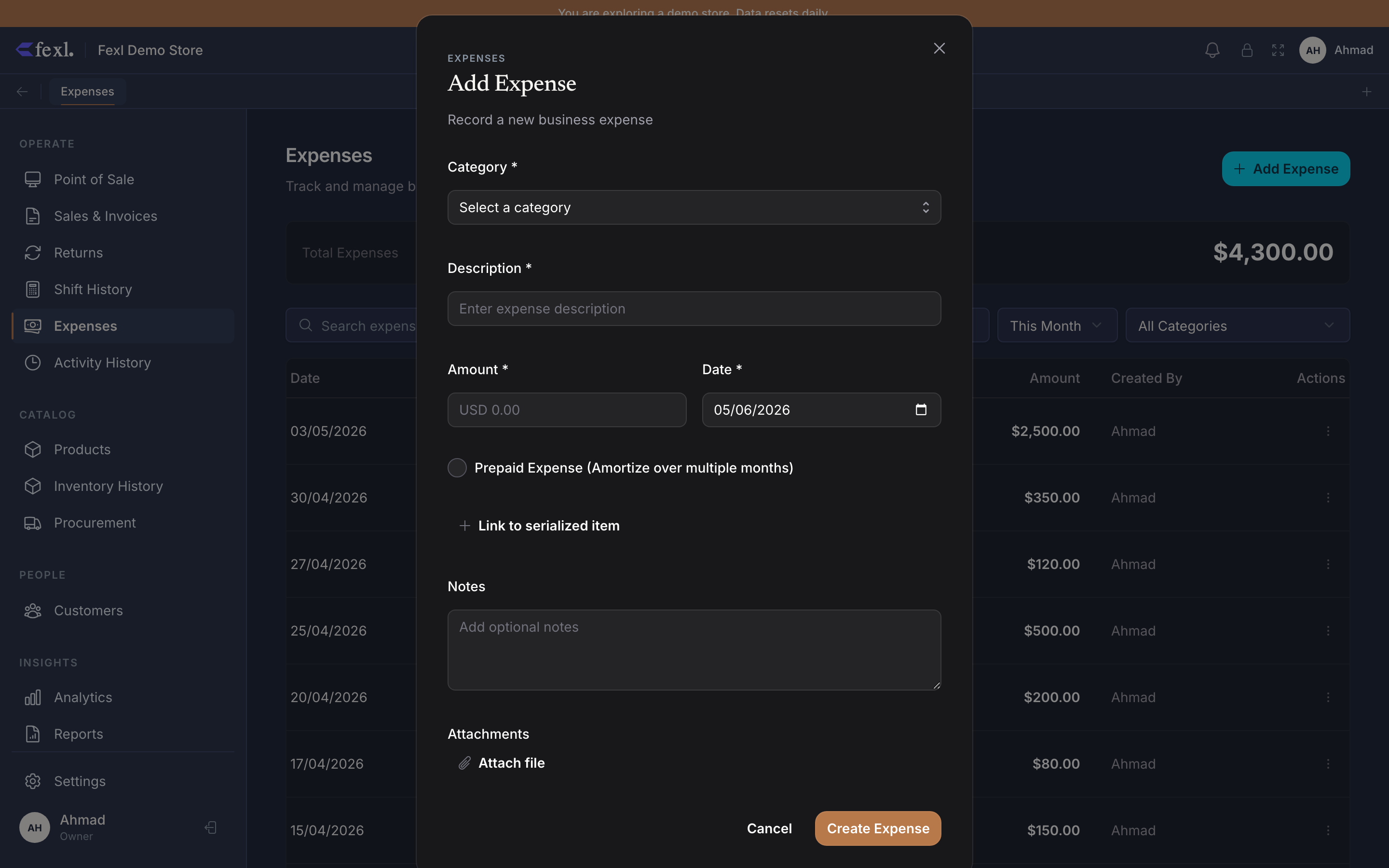
How a prepaid expense is recorded
When you create an expense and toggle Prepaid, three extra fields appear:
- Asset account — defaults to 1300 Advanced Payments. This is where the up-front payment lands as an asset, not yet recognised as expense.
- Amortization period (months) — over how many months the cost should be recognised.
- Start date — the first month of recognition (defaults to the expense date).
On save, the handler creates:
- One expense row with
is_prepaid=true, the asset account, period, and start date stored alongside. - N rows in
prepaid_expense_schedules— one per period month — withmonth,amount(total ÷ period), andrecognized=false. - One JE for the up-front payment:
- DR
1300Advanced Payments (full amount) - CR
1010-xxxcash sub-account (full amount)
- DR
Notice what doesn’t happen: the 6xxx expense account stays untouched. The cash leaves; the asset value rises; the P&L for the payment month doesn’t see the expense yet.
How recognition happens
Each month, a separate JE moves 1/N of the cost from the asset account to the expense account:
- DR
6xxx(the expense category) - CR
1300Advanced Payments
After N months, 1300 for this expense is back to zero, the full amount has flowed through the matching 6xxx line on N consecutive P&Ls, and the schedule rows are all recognized=true.
The recognition runner
The recognition JE carries source_type='prepaid_amortization' so the General Ledger can filter it cleanly. Each JE is dated to the schedule row’s month, not the day the runner posts it — so a January recognition that runs late in February still lands on January’s P&L, not February’s.
A worked example
Pay $12,000 of rent in January for the full year. Toggle Prepaid, asset account 1300, period 12 months, start date 1 January.
On save (15 January):
DR 1300 Advanced Payments 12,000.00 CR 1010-001 Counter Cash 12,000.0012 schedule rows are created — one per month from January through December — each with amount=1000.00 and recognized=false.
End of January (runner fires):
DR 6010 Rent 1,000.00 CR 1300 Advanced Payments 1,000.00January’s P&L now shows $1,000 on the Rent line. 1300 is sitting at $11,000.
End of February (runner fires):
Another JE for $1,000. 1300 is now at $10,000. February’s P&L shows $1,000 on Rent.
After 12 months, 1300 is back to zero. Every month’s P&L showed the rent it should have. The accrual pattern has matched cost to the period it economically applied to, not to the period the cash moved.
Inspecting a prepaid expense
The expense detail page shows the Amortization schedule below the main fields:
- Period (month-by-month list).
- Amount per period.
- Recognised / Pending status per row, with the
recognized_attimestamp on recognised ones.
The pending rows are what the runner will pick up on its next pass. If the schedule is showing a stale Pending row whose month is months in the past, that’s a sign the runner hasn’t fired — file an issue rather than posting the recognition manually.
Editing a prepaid expense
The expense’s amount, period, or start date can change before any recognition has happened. After the first recognition row has fired, edits to the schedule are restricted — the lines already on the books can’t be retroactively changed. The supported pattern is:
- Reverse the recognised JEs (post inverse JEs through the manual JE flow).
- Delete the expense and its schedule.
- Recreate the expense with the corrected amount / period.
Most operators don’t need to do this; it’s only useful when a substantive error in the original is found mid-period.
Deleting a prepaid expense
Deleting the expense cascades to the schedule rows (DELETE FROM prepaid_expense_schedules WHERE expense_id = ?). It does not auto-reverse already-posted recognition JEs — those stay on the books. If you delete a prepaid expense that’s been recognised for three months, you’ll need to manually post reversing JEs for those three months if the books should reflect it as if the expense never happened.