

Backdated invoices
Most sales are rung in real time, but plenty aren’t — handwritten receipts from a power outage, a market day where the tablet stayed home, a stack of carbon-copies from the previous owner. Backdating lets you record the sale on the date it actually happened so reports, ledgers, and customer statements line up with reality instead of with whenever you got around to typing it in.
When to backdate
- Catching up from physical receipts. A market day, a road trip, an outage where you wrote on a pad.
- Migrating from another system. Bring historical sales in dated correctly so AR, COGS, and tax reports reconcile.
- Late entry of a credit sale. The customer took goods on Monday with a promise to pay; you’re entering it on Friday.
Don’t backdate to dodge a closed period or to flatter a slow week. The audit trail (created_at vs invoice_date) makes both visible.
Ring a backdated sale
Build the cart as normal
Add products, attach a customer if it’s a credit sale, set quantities. Nothing about cart-building changes.
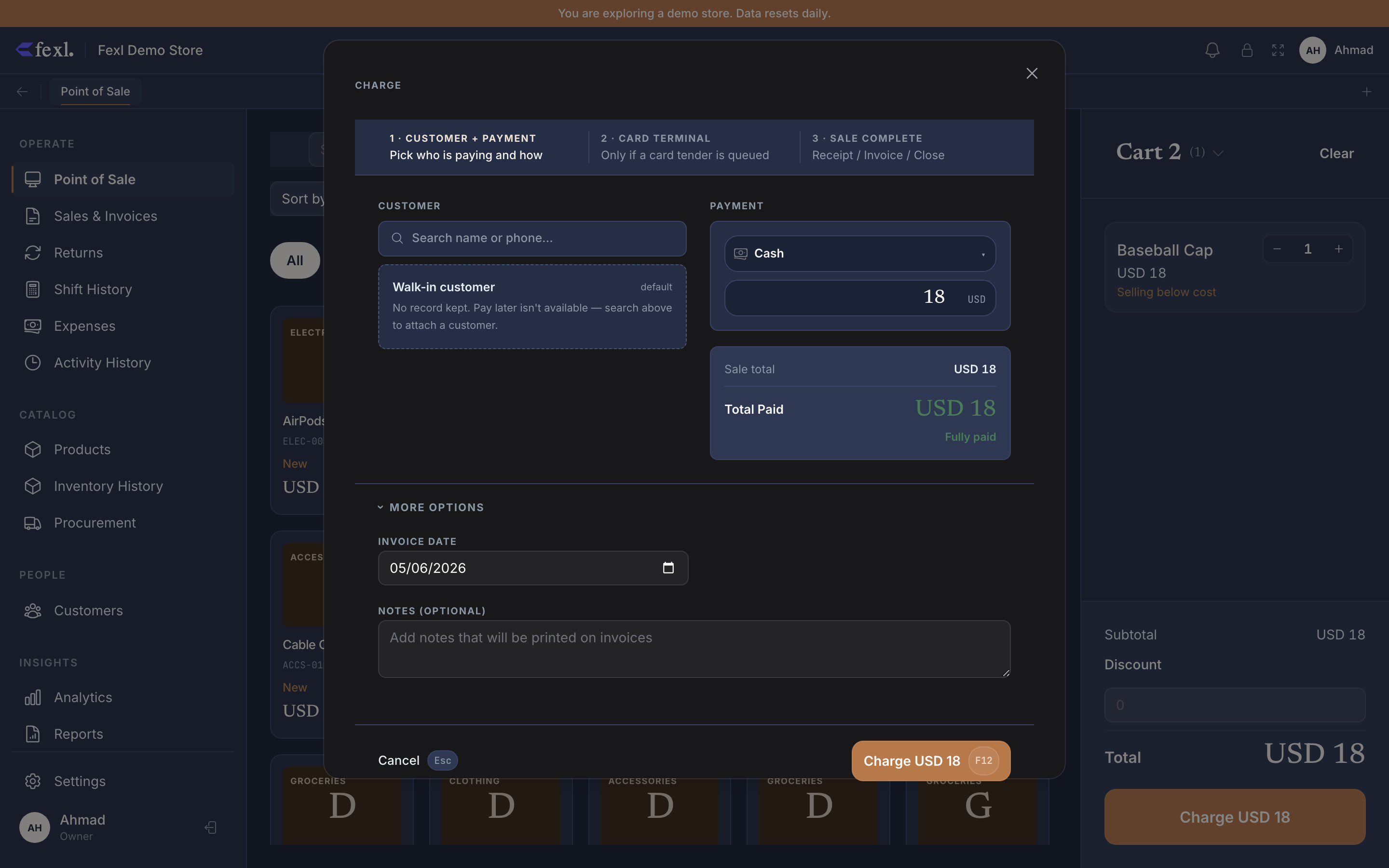
Open Checkout, then change Invoice Date
In the checkout dialog, the Invoice Date field defaults to today. Click it to open a date picker and pick the actual date the sale happened.
Pay or pay later, then Complete Sale
Take payment exactly as you would for a same-day sale — full, partial, split, or pay-later. The journal entry and the cash-drawer write both follow the date you picked, not today.
What posts on a backdated sale
- The journal entry’s
entry_dateis the date you picked, so the sale lands on that day’s P&L, Trial Balance, and General Ledger — not today’s. - The invoice’s
created_atstays today (immutable, audit-only). The reports useinvoice_date; the audit trail uses both. - AR ages from
invoice_date. A sale backdated 30 days will already show as 30-day-old on the AR Aging report. - The cash-drawer movement — if there is one — books on the backdated day, not the active shift. If the backdated day’s shift was already closed, the JE still posts but the cash leg is recorded against the historical shift’s sub-account, not the current one.
Audit trail
Backdated invoices are flagged on the invoice list when invoice_date < created_at by more than a day. Click into any invoice to see both timestamps in the metadata panel — the actual transaction date and the entry date sit side by side.