

Apply a refund
A refund is the right tool when the customer keeps part of the sale and brings the rest back. The action lives on the Returns page — you open the wizard, find the invoice in step 1, and the wizard handles the rest. This page covers the entry path; the five-step wizard is documented separately.
When to refund — and when to cancel instead
Two different flows for two different shapes of “this sale isn’t standing”:
- Refund (this page) — partial. The customer keeps some lines, returns others. The original invoice stays on the books; the wizard adds a contra-entry for the refunded portion. Inventory moves item by item, with a disposition for each unit (back to stock, defect bin, dispose).
- Cancel invoice — the whole sale collapses. Every line reverses, the journal entry is undone, and stock returns in one shot.
If you need to undo everything, cancel. If only some of the sale comes back, refund.
Open the refund wizard
Go to Returns and start a new return
In the sidebar, open Returns, then click New Return. The five-step wizard opens with Invoice as step 1.
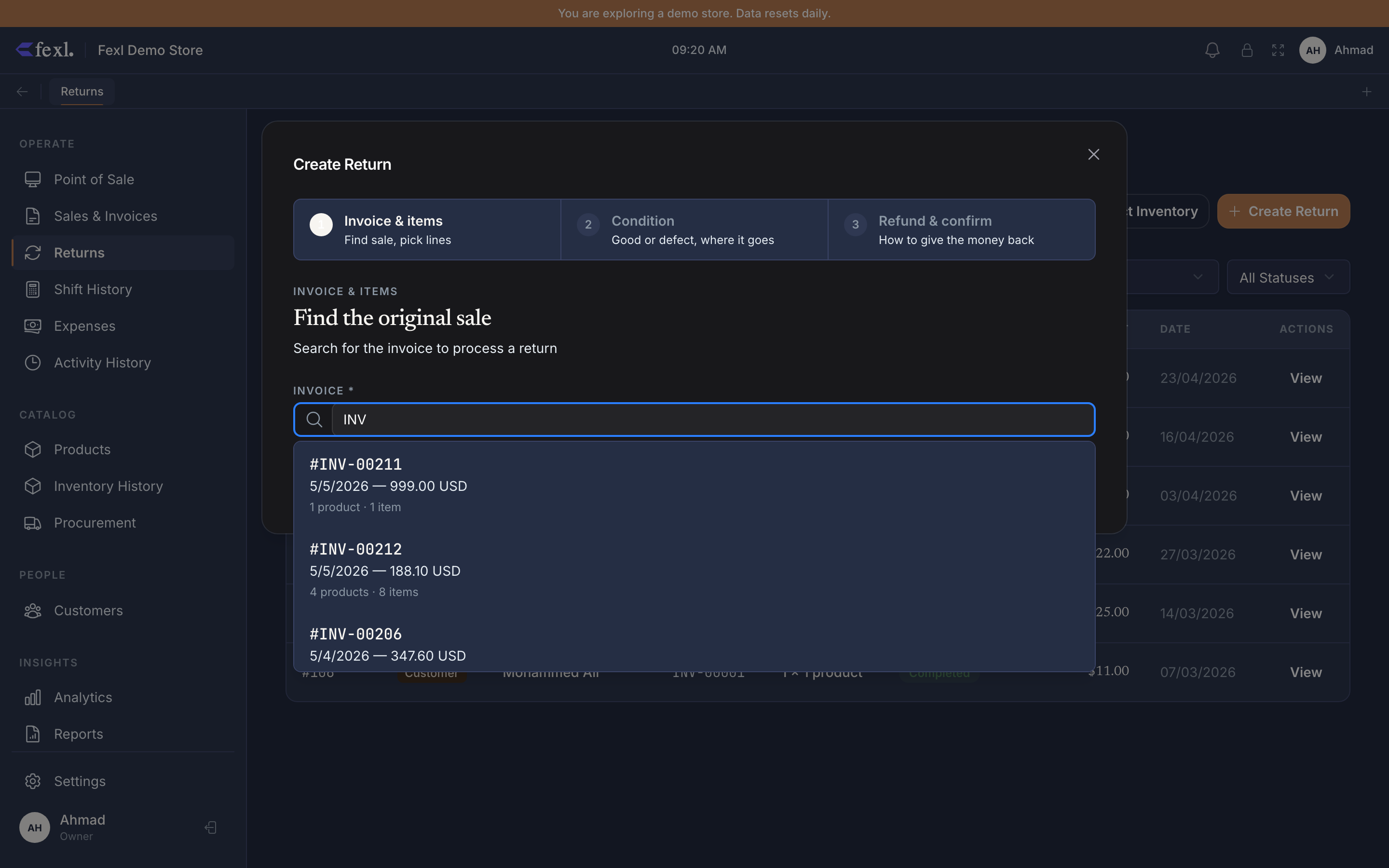
Find the invoice in step 1
Scan the receipt barcode, type the invoice number (INV-2026-04829), or filter by customer name. Pick the invoice and the wizard advances to Products.
The wizard at a glance
Five steps, in order, every refund:
- Invoice — locate the original sale.
- Products — tick the lines being returned; edit quantities for partial returns; pick specific IMEIs for serialised items.
- Condition — for every returning unit, choose Resaleable, Defect, or Dispose. Counts must sum to the line quantity.
- Defects — only appears if step 3 flagged any defects. Route to supplier, hold for inspection, or dispose.
- Confirm — pick refund method (cash, card, store credit), review, post.
Each step is documented in detail in the wizard guide:
- Process a refund in five steps — the full walkthrough, with what posts to the books at step 5.
Related
- Process a refund in five steps — the deep-dive on each wizard step
- Cancel an invoice — when partial isn’t enough
- Customer debt and credit — how store-credit refunds settle on the customer record
- Release notes — v1.6.100 — the refund-side fixes shipped in this version